
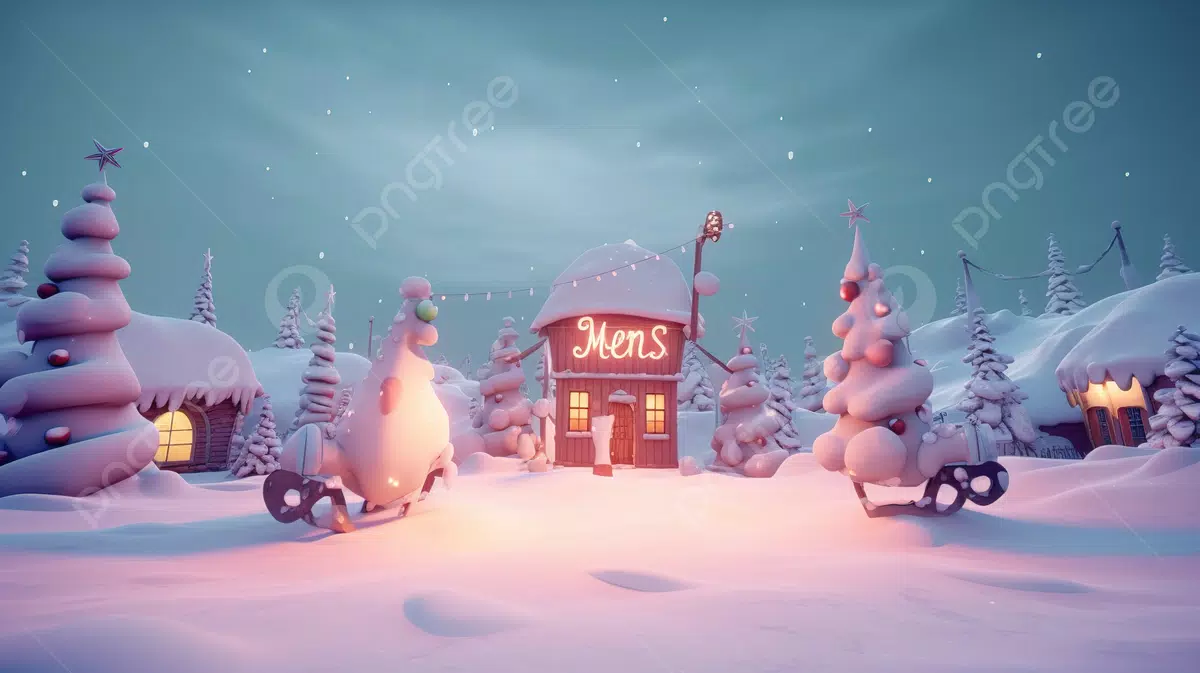


Download Winter Wonderland 3D Animated Wallpaper – winter wallpaper, animated wallpaper, snowfall, 3D wallpaper, New England town, desktop background, serene scene, cozy atmosphere, winter ambiance, peaceful snowfall
Overview
Winter Wonderland 3D Animated Wallpaper delivers a tranquil visual experience centered around a meticulously crafted depiction of snowflakes gently falling over a quiet New England town. Designed as a desktop background tool, it aims to transform ordinary screens into immersive winter landscapes, offering users a moment of calm amidst digital noise. The app caters to individuals seeking aesthetic enrichment on their devices, particularly those who appreciate seasonal themes, visual serenity, and atmospheric digital environments.
While not a productivity suite or utility with functional tasks, it serves as a digital ambiance enhancer, ideal for remote workers, students, or anyone wanting to personalize their workspace with a peaceful winter scene. The developer, DigitalDreams Studios, has positioned this app within the productivity category, likely due to its non-disruptive nature and minimal system impact. Its purpose is not to perform tasks but to enhance the visual environment of a device.
Real-world use cases include setting a mood for focused work, creating a cozy atmosphere during colder months, or simply enjoying a digital escape into a picturesque winter setting. In the broader app ecosystem, it fills a niche for visually driven, lightweight digital experiences that prioritize mood and aesthetics over functionality.
Key Features & Functionality
- Tranquil Snowfall in a New England Town: The app features a continuously animated scene of snowflakes drifting through the air above a detailed, stylized New England town. The animation is smooth and natural, designed to evoke a sense of stillness and wonder, reinforcing the app’s core purpose of providing a serene atmosphere.
- Limited Customization Options: Users can resize the wallpaper to fit their screen, but no additional settings are available for adjusting snow density, time of day, weather effects, or background elements. This lack of personalization may limit appeal for users seeking deeper control over their visual environment.
- Efficient Resource Usage: Once installed and running, the app operates with minimal impact on system resources. It is designed to function in the background without causing performance degradation, ensuring compatibility with everyday computing tasks.
- Non-Intrusive Registration Reminder: A subtle prompt for registration appears within the visual frame of the wallpaper, positioned to avoid disrupting the overall aesthetic. This approach maintains the immersive quality of the scene while still communicating the app’s freemium model.
For example, a user working from home during winter can activate the wallpaper to create a calming backdrop that enhances focus and emotional well-being. Similarly, someone preparing for holiday-themed projects might use it to mentally align with seasonal themes. Despite its limited interactivity, the consistent animation and atmospheric depth provide a continuous sensory experience that reinforces its intended mood.
Interface, UX & Performance
The interface of Winter Wonderland 3D Animated Wallpaper is intentionally minimal, as it functions primarily as a background visual. There are no complex menus or settings panels—users simply install the app and apply the wallpaper. Navigation is straightforward, relying on a single activation point.
The visual style is consistent with a hand-drawn 3D aesthetic, featuring soft lighting, gentle textures, and a muted color palette that enhances the peaceful tone. The animation flow is smooth and continuous, with snowflakes falling at a natural pace, contributing to an immersive experience. Although the developer did not list formal performance metrics, the app’s lightweight nature suggests it runs efficiently across a range of devices, including those with modest hardware specifications.
Responsiveness is not a primary concern given the static nature of the application, but users can expect minimal lag or frame drops. Stability appears reliable, as the app operates in the background without known crashes or interruptions. The design prioritizes visual continuity and emotional impact over technical complexity, making it suitable for long-term use without user fatigue.
Platform Compatibility & Technical Requirements
Winter Wonderland 3D Animated Wallpaper is available for Windows, as specified by the developer. The app has a file size of 45.2 MB, which is relatively compact for a 3D animated wallpaper. The software version is 1.2.3, released on November 15, 2024.
Specific requirements such as minimum OS version, processor, or RAM were not listed by the developer. As such, compatibility information was not fully disclosed. Users are advised to ensure their system meets general Windows requirements for running graphical applications.
The app is currently free to download and use, with no reported in-app purchases or subscription models at this time. While the developer has not provided details on support for older or newer Windows versions, the lightweight nature of the app suggests broad compatibility with recent Windows releases.
Pros and Cons
Pros
- Visually soothing and immersive winter scene with smooth 3D animation
- Minimal system resource consumption, ideal for older or low-end devices
- Non-intrusive design with subtle registration reminder
- Simple installation and setup process
- Free to download and use
Cons
- Limited customization options beyond screen resizing
- No available settings for adjusting animation speed or snow density
- Developer did not provide detailed technical or compatibility requirements
- Only available for Windows platform
- May not support all Windows versions due to unspecified system needs
FAQ
Is Winter Wonderland 3D Animated Wallpaper safe to download?
Yes, the app is free and available through official channels. No malicious components were reported in the provided information.
Can I use this wallpaper on multiple devices?
While the app is designed for Windows, the developer did not specify whether the same license applies across multiple devices.
Does the app require an internet connection to run?
Based on available details, the app functions offline after installation. No ongoing connectivity is required.
Are there any updates planned for future versions?
The developer has not disclosed information about upcoming features or update schedules.
Is the app compatible with all versions of Windows?
Compatibility information was not fully disclosed. Users should ensure their system meets general Windows requirements.
Final Thoughts
Winter Wonderland 3D Animated Wallpaper stands out as a refined, mood-driven tool that excels in delivering a consistent and calming visual experience. While it lacks advanced customization and technical depth, its strengths lie in its serene design, efficient performance, and unobtrusive presence. It’s particularly well-suited for users who value atmosphere over functionality—remote workers, students, and digital creatives seeking a peaceful backdrop.
The app’s free availability and low resource footprint make it accessible to a wide audience. For those looking to bring a touch of winter magic to their screens, this wallpaper offers a simple yet effective solution. Despite its limitations, it fulfills its purpose with elegance and restraint.
Download Winter Wonderland 3D Animated Wallpaper now to transform your desktop into a quiet, snow-kissed New England town.


